Inventaris PCS
An internal asset inventory system for PT Petrokopindo Cipta Selaras, covering asset records, organizational master data, assignment tracking, documents, QR-based lookup, and role-based administration.
Technologies
- Laravel
- React
- TypeScript
- Inertia.js
- MySQL
- Tailwind CSS
- Laravel Fortify
- shadcn/ui
On this page
About the project
Inventaris PCS is an internal asset inventory system developed for PT Petrokopindo Cipta Selaras. It centralizes the records needed to identify, locate, assign, and administer company assets while keeping related employee, organizational unit, and account data in the same application.
The system gives administrators a structured alternative to managing inventory details across disconnected records. Its workflow covers asset registration, supporting documents, assignment and return history, public asset lookup through inventory numbers, and role-based access to administrative data.
Centralized asset records
Each asset record connects its inventory number and serial number with an item name, type, model, brand, purchase date, warranty expiration, location, status, and creator. Administrators can add or update these records, attach supporting documents, and remove obsolete documents without leaving the asset workflow.
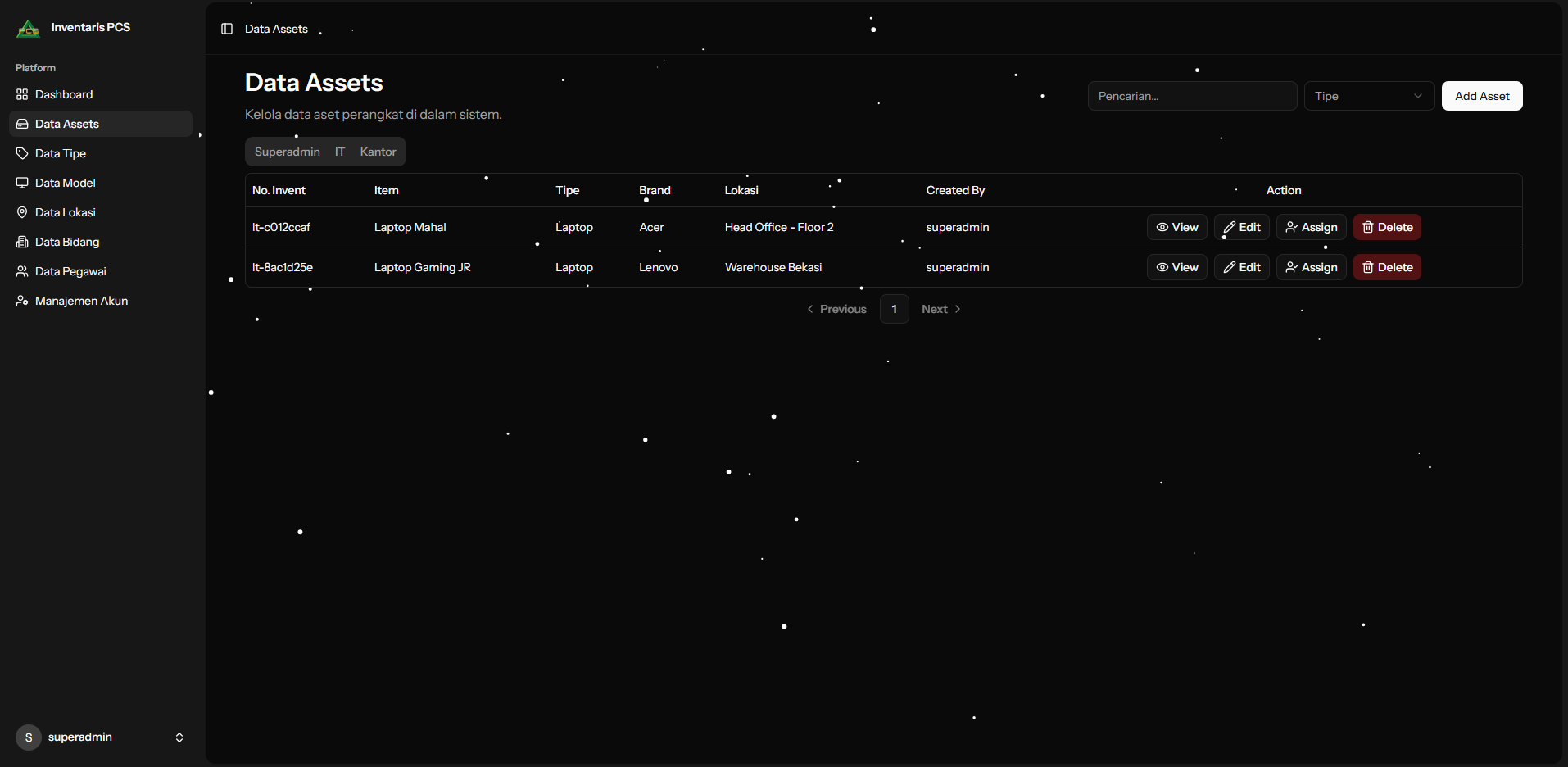
The main asset workspace supports search across inventory numbers, item names, locations, models, brands, types, and creator roles. Type and role filters help operators narrow the list, while pagination keeps larger inventories manageable. From the same table, an operator can inspect, edit, assign, or delete an asset.
Assignment and return workflow
Assets can be assigned to an employee or an organizational unit. An assignment records its date, status, optional notes, and a supporting loan document. The application checks active assignments before accepting a new one so that an asset is not assigned to multiple employees or multiple organizational units at the same time.
Assignment status also updates the asset itself. Assigning an asset marks it as assigned, while completing a return restores its active status. The return flow updates the assignment and asset together inside a database transaction, which keeps both records consistent if an operation fails.
QR-based asset lookup
The asset detail workspace exposes assignment history and can generate a downloadable QR code for an inventory item. Each code points to a dedicated lookup route based on the asset’s inventory number.
The resulting page presents the asset’s identity, type, brand, serial number, location, purchase and warranty dates, documents, and usage history. This gives staff a direct way to retrieve an asset record from its physical label without opening the administration workspace first.
Master data and access control
Dedicated workspaces manage asset types, models, locations, inventory prefixes, employees, and organizational units. These shared records provide consistent references when administrators register assets or create assignments.
Authenticated users can access the operational inventory tools, while employee, organizational unit, and user account administration is restricted through a superadmin middleware. Laravel Fortify supports account authentication, email verification, password management, and two-factor authentication. The interface also supports responsive layouts and light and dark appearance modes.
Architecture
Laravel 12 handles routing, authentication, validation, database access, file storage, and the asset assignment rules. React 19 and TypeScript render the interface through Inertia.js, keeping server-side application workflows and the client interface in one codebase. Laravel Precognition provides server-backed form validation before submission.
MySQL stores assets and their relationships with types, models, locations, documents, employees, organizational units, assignments, and users. Tailwind CSS and shadcn/ui components provide the responsive interface, while the application records user activity on its operational models for administrative traceability.